100% Free — No Premium Tier, No Paywalls

Powerful features,
zero cost

Everything you need to design, visualize, and share professional floor plans — all in your browser, completely free and open source.

OpenPlan3D 2D floor plan editor showing a detailed room layout with walls, doors, windows, furniture, and imperial dimension labels
2D floor plan with furniture and dimensions
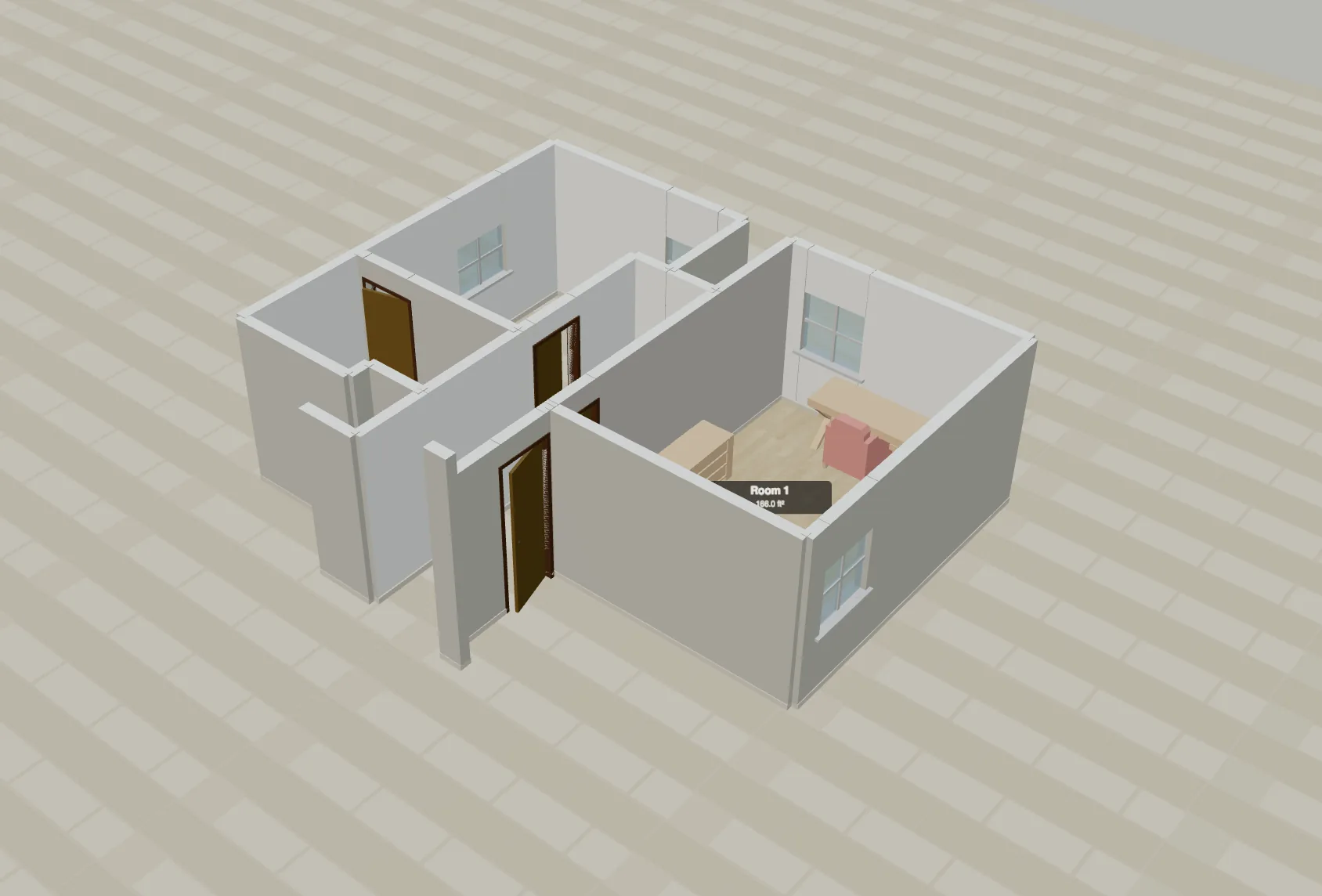
OpenPlan3D 3D visualization showing the same floor plan rendered with realistic textures, furniture, and lighting
3D rendered view with textures and furniture
✏️

2D Floor Plan Drawing

Draw precise floor plans with an intuitive click-and-drag interface. Create complex multi-room layouts in minutes.

  • Click to place walls with automatic corner snapping
  • Add doors and windows with configurable sizes
  • Orthogonal and freeform drawing modes
  • Undo/redo with full history
  • Snap-to-grid for pixel-perfect layouts
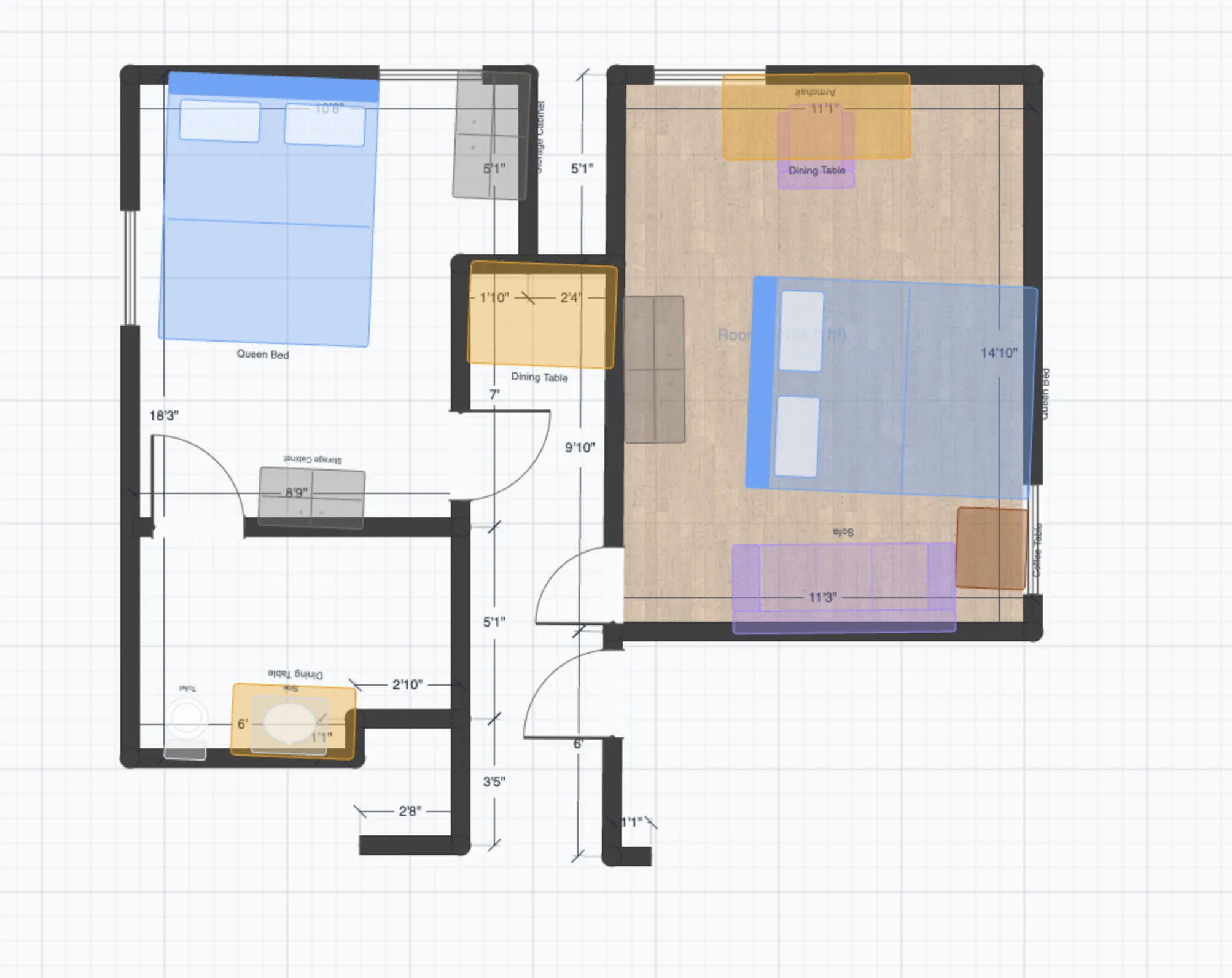
2D floor plan drawing interface with walls, rooms, doors, windows, and dimension labels in imperial units
🧊

3D Visualization

See your floor plan come to life in a real-time 3D view. Navigate your design with intuitive orbit controls.

  • Instant 2D to 3D conversion
  • Orbit, pan, and zoom camera controls
  • Real photo-realistic wall and floor textures
  • Dynamic lighting and shadows
  • Toggle between 2D and 3D with one click
3D rendered visualization of a floor plan with furniture, textures, and realistic lighting
🪑

140+ Furniture Models

Furnish your space with a growing library of 3D furniture models organized by room type.

  • Living room, bedroom, kitchen, bathroom, office furniture
  • Drag and drop placement
  • Resize and rotate freely
  • Accurate real-world dimensions
  • Models render in both 2D and 3D views
🪑
📱

Apple RoomPlan & LiDAR Import

Scan your real room with Apple RoomPlan on iPhone or iPad and import the result directly into the editor. Use your device's LiDAR sensor for precise room capture.

  • Import RoomPlan JSON files directly
  • Automatic wall, door, and window detection
  • Edit scanned rooms like any other plan
  • LiDAR-powered precision from your iPhone or iPad
  • No manual measuring needed
📱
🧊

GLB/glTF 3D Mesh Import

Import your own 3D models in GLB or glTF format. Add custom furniture, architectural elements, or any 3D object to your plans.

  • Standard GLB and glTF format support
  • Import custom furniture and fixtures
  • Place, rotate, and scale imported models
  • Models appear in both 2D and 3D views
🧊
📐

Imperial & Metric Units

Work in the measurement system you prefer. All dimensions update in real-time when switching.

  • Feet/inches and meters/centimeters
  • Live dimension labels on walls
  • Switch units at any time
  • Consistent precision across formats
📐
📤

Multi-Format Export

Export your plans in the format you need — for printing, sharing, or further editing in CAD tools.

  • PNG — high-resolution raster images
  • SVG — scalable vector graphics
  • DXF — AutoCAD-compatible format
  • PDF — print-ready documents
  • JSON — full plan data for backup or sharing
📤
🏢

Multi-Floor Support

Design multi-story buildings with independent floor plans that share a common footprint.

  • Add and manage multiple floors
  • Copy floor layouts between levels
  • Switch floors instantly
🏢
🎨

Real Photo Textures

Apply realistic materials to walls, floors, and surfaces. Choose from wood, tile, carpet, concrete, and more.

  • Curated texture library
  • Apply per-room or per-surface
  • Realistic rendering in 3D view
🎨
🔓

Free & Open Source Forever

OpenPlan3D is completely free with no premium tier, no paywalls, and no signup required. The source code is open on GitHub.

  • No hidden costs or premium features
  • No account or signup required
  • Open source on GitHub — inspect and contribute
  • Community-driven development
🔓

See it in action

Try every feature for free — no account required. It's open source.